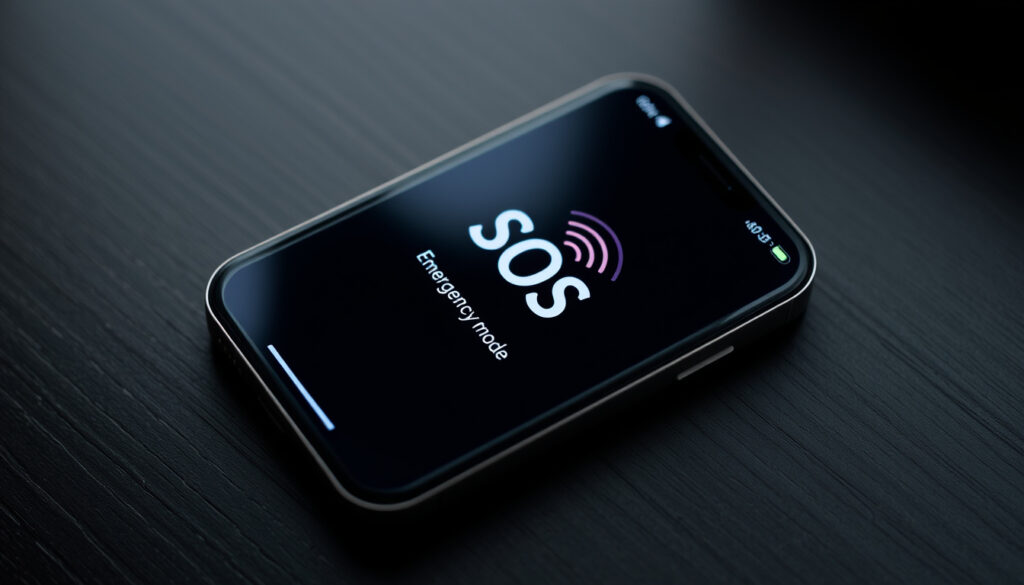
What Does SOS Mean on iPhone? Meaning, Triggers & Fixes
Few things cause more confusion than glancing at your iPhone and seeing “SOS” where your carrier name should be. It’s easy to think something is broken, but the indicator is actually a deliberate safety feature: your phone can still make emergency calls even when normal service is unavailable. This guide explains what the icon means, why it appears, and exactly what to do about it.
iPhone models that can show SOS: All iPhone models with cellular capability (iPhone 6 and later) via iOS 11 and newer ·
Key limitation during SOS status: Only emergency calls; standard calls, texts, and data are blocked ·
Common cause: No connection to your carrier’s network (out of range, SIM issue, or carrier outage) ·
Time to resolve automatically: Usually a few seconds to minutes; longer if in a dead zone or after a crash
Quick snapshot
- Emergency calls only available (Apple Support (official guidance))
- No regular calls, texts, or data (TidBITS (tech analysis))
- Automatic or manual trigger (Apple Support (satellite emergency guide))
- Out of carrier range (Asurion (device protection provider))
- SIM card issue (Asurion (device protection provider)) (Asurion (device protection provider))
- Crash detection (iPhone 14+) (Apple Support (satellite emergency guide)) (Asurion (device protection provider))
- Accidental button press (USA Today (consumer tech))
- Restart iPhone (TidBITS (tech analysis)) (Cincinnati Enquirer (local news))
- Toggle Airplane Mode (Asurion (device protection provider)) (Cincinnati Enquirer (local news))
- Check carrier status (Cincinnati Enquirer (local news))
- Reinsert SIM (Asurion (device protection provider)) (Cincinnati Enquirer (local news))
- Persistent after moving to coverage (Apple Support (official guidance))
- After physical damage (Asurion (device protection provider))
- Software update needed (Apple Support (official guidance))
Four quick facts capture the basics of iPhone SOS functionality.
| Attribute | Value |
|---|---|
| First introduced in iOS | iOS 11 (2017) |
| Models with satellite support | iPhone 14 and later (US, Canada, UK, France, Germany, Ireland) |
| Emergency call without SIM | Yes, in most countries (911, 112, 999) |
| Cancel window before call connects | Approximately 3 seconds |
What Does SOS Mean on iPhone?
What the status bar icon indicates
When you see “SOS” in the status bar, your iPhone is not connected to your regular cellular network but can still place emergency calls through another carrier’s network. Apple Support (official guidance) confirms that both “SOS” and “SOS Only” mean the same thing: standard calls, texts, and data are blocked, but emergency services remain reachable.
Difference between SOS and SOS Only
- SOS: The phone is temporarily connected to a non-primary carrier for emergency calls only.
- SOS Only: The phone cannot find any carrier at all for regular service but still permits emergency dialing.
TidBITS (tech analysis) notes that “SOS Only” appears where the carrier name normally sits, while “SOS” sometimes appears alongside a carrier name when the phone is roaming on an emergency-only channel.
What does SOS mean on iPhone next to WiFi?
Seeing “SOS” next to the Wi‑Fi icon usually means the phone cannot reach a cellular network but Wi‑Fi calling might still be active if previously configured. However, Apple’s support documents classify this as a normal “SOS” state – emergency calls are possible, but regular calling and data rely entirely on Wi‑Fi if available.
What Triggers an SOS on an iPhone?
Automatic triggers (crash detection, satellite fallback)
On iPhone 14 and later, Apple Support (satellite emergency guide) explains that Crash Detection can automatically initiate Emergency SOS. The phone also offers Emergency SOS via satellite when you are off the grid with no cellular or Wi‑Fi coverage – a feature available in the US, Canada, UK, France, Germany, and Ireland.
Manual triggers
- Press and hold the side button and a volume button simultaneously.
- Rapidly press the side button five times.
Apple’s personal safety guidance details that these actions start a countdown and sound an alarm before calling emergency services. Users can configure “Call with Hold and Release” under Settings > Emergency SOS to adjust how easily the feature triggers.
USA Today (consumer tech) calls Emergency SOS a “quick and quiet” way to call for help. The trade-off: the same convenience can lead to accidental activations if settings aren’t tailored.
The implication: understanding both automatic and manual triggers helps you anticipate when the phone might shift into SOS mode.
How Do I Get My iPhone Out of SOS Mode?
- Move to a better signal area or toggle Airplane Mode on and off.
- Restart your iPhone.
- Remove and reinsert the physical SIM card or re‑enable your eSIM line.
- Reset Network Settings (Settings > General > Transfer or Reset iPhone > Reset > Reset Network Settings).
Check your carrier coverage and restart your iPhone
Asurion (device protection provider) recommends first moving to a better signal area or toggling Airplane Mode on and off. If that doesn’t work, a simple restart often resolves temporary network glitches.
Verify SIM card and network settings
- Remove and reinsert the physical SIM card or re‑enable your eSIM line.
- Check for a carrier settings update in Settings > General > About.
- Reset Network Settings (Settings > General > Transfer or Reset iPhone > Reset > Reset Network Settings).
Asurion (device protection provider) states that a SIM or eSIM that is not connecting may require reseating or re-enabling. Apple’s support page also suggests downloading the latest version of the Apple Support app on iOS 18 or later to run diagnostics for persistent No Service/Searching issues.
Disable Emergency SOS accidentally triggered
If you triggered the SOS countdown by accident, simply tap “Stop” or release the buttons before the timer ends. To prevent future accidental triggers, go to Settings > Emergency SOS and turn off “Call with Hold and Release” and “Call with 5 Presses.” Apple’s personal safety guidance confirms these toggles are available on all models running iOS 11 or later.
The pattern: each troubleshooting step isolates a different potential cause, from network signal to hardware connection.
What Happens When a Phone Is Stuck in SOS Mode?
Symptoms of being stuck
A phone “stuck” in SOS mode continues to show SOS or SOS Only in the status bar even after moving to known coverage areas. You cannot receive calls, send texts, or use cellular data. However, Apple Support (official guidance) emphasizes that emergency calling remains available throughout.
How long does it last?
The duration varies by location and carrier. Typically, a temporary SOS state resolves within a few seconds to minutes once the phone re‑establishes a signal. If it persists for hours, Cincinnati Enquirer (local news) suggests checking for a carrier outage or hardware issues with the cellular antenna or SIM.
A stuck SOS that doesn’t clear after a restart and SIM check may signal a hardware fault – especially if the phone has been dropped or exposed to water. In that case, Apple Support diagnostics or a visit to a repair center is warranted.
The catch: while the phone remains usable for emergencies, a persistent stuck SOS means you lose standard communication until the underlying cause is addressed.
What Happens If You Accidentally Click the SOS Button?
Immediate actions iPhone takes
When you accidentally trigger Emergency SOS, your iPhone immediately begins a loud countdown alarm and, after a short delay (approximately three seconds), places a call to your local emergency number. Apple Support (official guidance) states that during this process, the phone also alerts your emergency contacts and shares your real‑time location.
How to cancel before call connects
You can cancel the call by tapping the “Stop” button on the screen or releasing the buttons before the countdown ends. The alarm stops immediately. If you accidentally let the call connect, simply explain to the dispatcher that it was a mistake – they are trained to handle false triggers.
The consequence: understanding the cancel mechanism and adjusting settings beforehand can prevent unnecessary dispatches and panic.
What We Know for Sure vs. What’s Still Unclear
Confirmed facts
- SOS means the iPhone can only connect to emergency services (Apple Support (official guidance)).
- Restarting the device is the first recommended fix (TidBITS (tech analysis)).
- Emergency SOS via satellite requires iPhone 14 or later (Apple Support (satellite emergency guide)).
- Emergency calls without a SIM are possible in most countries (Apple Support (official guidance)).
What’s unclear
- Exact duration a phone stays in SOS mode if left untouched – it varies by location and carrier.
- Whether a SIM card swap always resolves SOS Only – depends on carrier activation policies.
“On iPhone, seeing ‘SOS’ or ‘SOS only’ in the status bar means the device is not connected to its normal cellular network but can still make emergency calls through other carrier networks.”
— Apple Support (official guidance)
“Moving to a better signal area or toggling Airplane Mode on and off can restore connectivity when an iPhone is stuck on SOS.”
— Asurion (device protection provider)
“iPhone’s Emergency SOS feature offers multiple ways to quickly and quietly call for help.”
— USA Today (consumer tech)
The SOS indicator is not a bug, but a feature designed to keep you connected to help when regular service fails. For the average iPhone user in the US, the choice is clear: understand the difference between SOS and SOS Only, follow the three-step troubleshooting path (restart, SIM check, network reset), and customize Emergency SOS settings to prevent false alarms – or risk unnecessary panic and wasted emergency dispatcher time.
youtube.com, support.apple.com, support.apple.com, rokform.com, discussions.apple.com, youtube.com
Frequently asked questions
Can I still receive phone calls if my iPhone is in SOS mode?
No. SOS mode blocks all standard voice calls, text messages, and cellular data. Only emergency calls (911, 112, 999) can be placed.
Does SOS mode drain the battery faster?
Yes, because the iPhone continuously searches for a network signal. Using Airplane Mode or turning off cellular data while waiting for coverage can conserve battery.
Will resetting network settings fix SOS only on iPhone?
Resetting network settings (Asurion (device protection provider)) is a recommended step if other fixes fail. It clears saved Wi‑Fi passwords and VPN profiles but often resolves persistent network configuration issues.
Is SOS mode the same on all iPhone models?
The core functionality is identical on all models running iOS 11 or later. However, only iPhone 14 and newer include Emergency SOS via satellite.
How do I use Emergency SOS via satellite?
When you are outside cellular and Wi‑Fi coverage, you can text 911 or SOS in Messages and then tap “Emergency Services.” The phone will display satellite connection instructions (Apple Support (satellite emergency guide)).
Can I disable the Emergency SOS feature completely?
You can turn off “Call with Hold and Release” and “Call with 5 Presses” in Settings > Emergency SOS, but the underlying emergency calling capability (dialing 911 without a SIM) cannot be removed – it’s a regulatory requirement.
Does SOS mode affect Wi‑Fi or Bluetooth connectivity?
No. Wi‑Fi and Bluetooth remain fully operational. If you have Wi‑Fi calling set up before the SOS state began, you may still be able to make calls over Wi‑Fi.
More related posts
 Rudolph the Red-Nosed Reindeer 1964 Guide: Watch, History & Value
 Hobby Shop Near Me: Ireland’s Best Local Stores
 28 Years Later Streaming: Netflix, Prime & Where to Watch
 Isabel May Movies and TV Shows: Complete Filmography
 University of South Florida: Prestige, Rankings, Selectivity
 Is It Going to Rain Today in Dublin, Ireland? Forecast
 Zach Bryan Tour 2025 and 2026: Dates and Tickets
 Canker Sore on Tongue – Causes, Symptoms & Fast Relief